Saturday, 28 July 2012
Version 2.2 launched on 28-Jul-2012
Today is a good day to launch the app upgrade. It is also the first day of London Olympic 2012. This upgrade features the long awaited downloadable shops and menu.

Wednesday, 30 May 2012
Release V2.1.0 Features
1. Changed the icon to KopiCLoveHandle.
2. Added a button in order screen to clear all items ordered.
3. Added a plus sign at the image top right corner to show that you can touch it to place order.


2. Added a button in order screen to clear all items ordered.
3. Added a plus sign at the image top right corner to show that you can touch it to place order.


Monday, 14 May 2012
Pondering Over Kopi C Icon
I have spend the weekend searching and thinking of the best icon for the Kopi C App. A cup of coffee is much more than a fragrant drink that perks up your day. It is a bridge that connects people. In particular, I came across this touching story written in Bahasa Indonesia, Kopi Air Asin (Saltwater Coffee). I may try to translate it to English and Chinese, but I am afraid that I may lose it's original delicate touch written in Bahasa Indonesia.
For my version 2.1.0 release, I will change the Kopi C icon to the this one. It is for the love of coffee and it's gift that brings people together.




For my version 2.1.0 release, I will change the Kopi C icon to the this one. It is for the love of coffee and it's gift that brings people together.
A coffee cup with the handle and it's shadow forming a love.
 |
| This is how it looks in the App |
Among the icons that I have tried to made...
A photo of traditional coffee cup
A graphics of coffee cup served by a lady's hand, taken from openclipart.org
A simple graphics icon taken from openclipart.org
Release V2.0.0 Features
In the Version 2.0.0, I will add the following features:
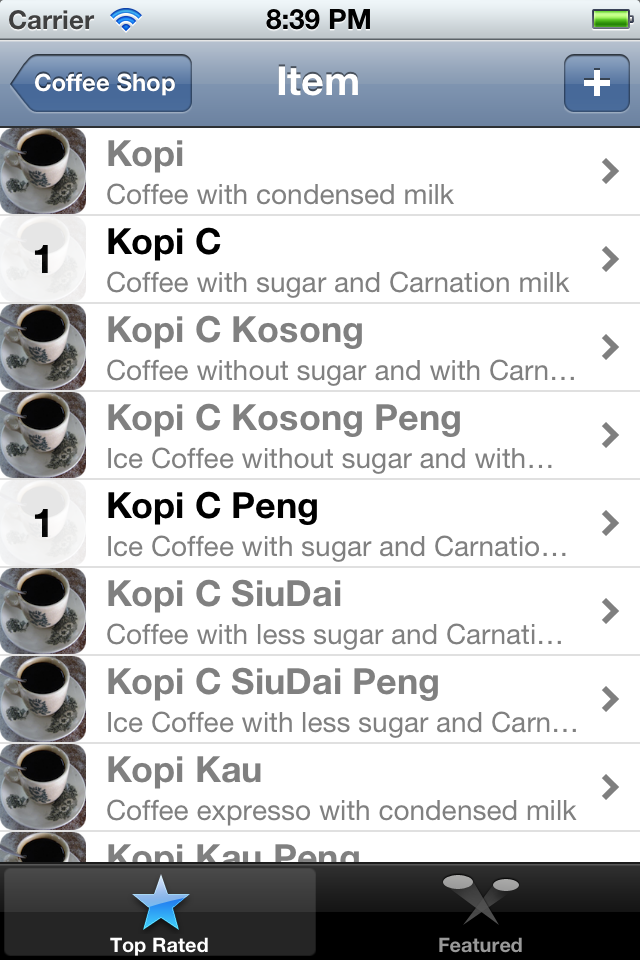
1. Added shop with drinks and price.
2. Show the ordered drinks and drink menu in the separate screens. Previously is was more confusing since both ordered drink and drink menu are shown on the same screen.
3. Show the order summary with total quantity and total price.
4. User can tap on drink image to place order and increment order quantity. The screen shows the updated quantity and price with animation.



Saturday, 28 April 2012
Upgraded Version V1.2.0
Thanks for the feedback from the users. These are the new features for Version 1.2.0. Released on 28-Apr-2012.


Please continue to support this App by sending feedback and feature request to nebitrams@gmail.com
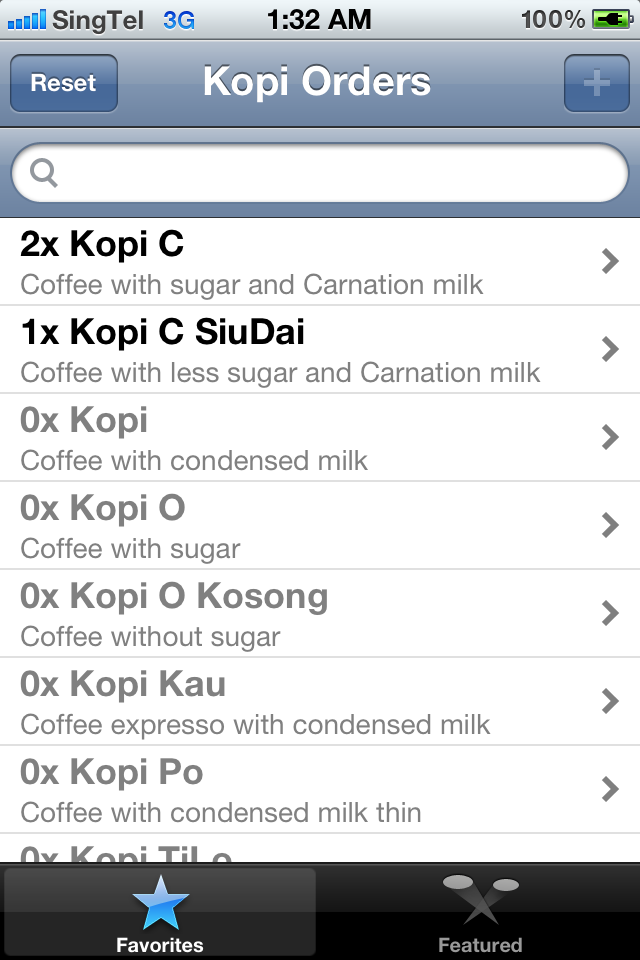
- Allow user to add custom drink and description by clicking on the + sign on the top right.
- Enable persistent storage so that the order will be saved
permanently. This will ensure that order will still exist even after
the app is "killed".


Please continue to support this App by sending feedback and feature request to nebitrams@gmail.com
Saturday, 14 April 2012
Upgraded Version 1.1.0
The upgraded version 1.1.0 is published on 14-Apr-2012, with the following features.
- Added remark field
- Added checklist feature by responding to "swipe" gesture
- Auto-scroll to top after returning from order detail
These are the screen shots.
 |
| Order Summary - notice that Remark is displayed instead of description for the second order. |
 |
| This version allow you to enter remark |
 |
| Do a swipe to "mark" the order item |
Friday, 6 April 2012
Kopi C App
This app will help you with the Singapore/Malaysia local coffee lingo when you are placing local orders. For instance,
- Kopi C means coffee with sugar and Carnation milk.
- Kopi O means coffee with sugar.
Refer to this article "Coffee or Kopi".
Please get this app from Apple AppStore and try it out.
I hope you will like this and please send your feature request, suggestion and feedback to nebitrams@gmail.com
Subscribe to:
Posts (Atom)